Operating and Controls
Controller Map
# This file defines the input
# and control scheme of the robot,
# Arranged into operating "modes"

mode_a:
  # Mode A is a driver-centric control mode
  driver:
    controller_port: 0     # What usb port the driver controller is on

    # Driving
    forward_axis: 1        # "Forward" Axis
    steer_axis: 4          # "Steering" Axis
    strafe_axis: 0         # "Strafe" Axis

    # Functions
    rezero_swerve: 8              # Updated week1 by Joe

  operator:
    controller_port: 1     # What usb port the operator controller is on

    # Functions
    kicker_button: 6              # Updated week1 by Joe
    catapult_button: 1            # Updated week1 by Joe
    intake_button: 5              # Updated week1 by Joe
    assisted_shooter_button: 4    # Updated week1 by Joe
    high_catapult_button: 3       # Updated week1 by Joe
    climb_axis: 1
    climb_up: 0
    climb_down: 1
    climb_active: 7

  sim:
    # The control mappings for use when using the simulator
    controller_port: 0           # What usb port the driver controller is on

    # Driving
    forward_axis: 1              # "Forward" Axis
    steer_axis: 2                # "Steering" Axis
    strafe_axis: 0               # "Strafe" Axis

    # Functions
    kicker_button: 4
    catapult_button: 3
    intake_button: 3
    assisted_shooter_button: 3
    high_catapult_button: 2
    rezero_swerve: 1
    climb_axis: 1
    climb_up: 0
    climb_down: 1
    climb_active: 7
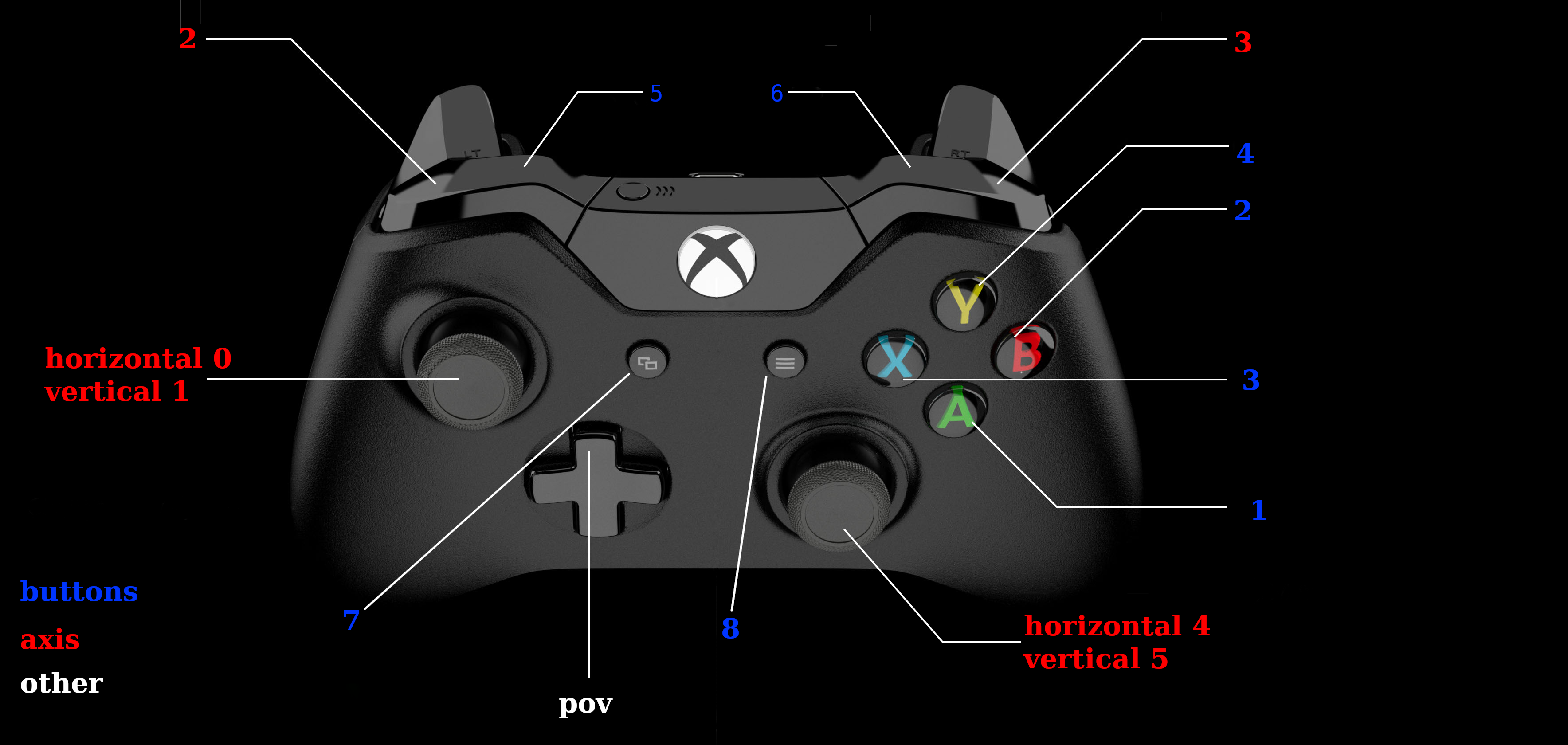
While the most of the image is self explanitory or common knowledge I.E. the joysticks being able to go from 1 on the right and -1 on the left.
The triggers are only able to go from 0 to 1, and the LB and RB are buttons, with the blue logitech controller the pov and left joystick are switched.
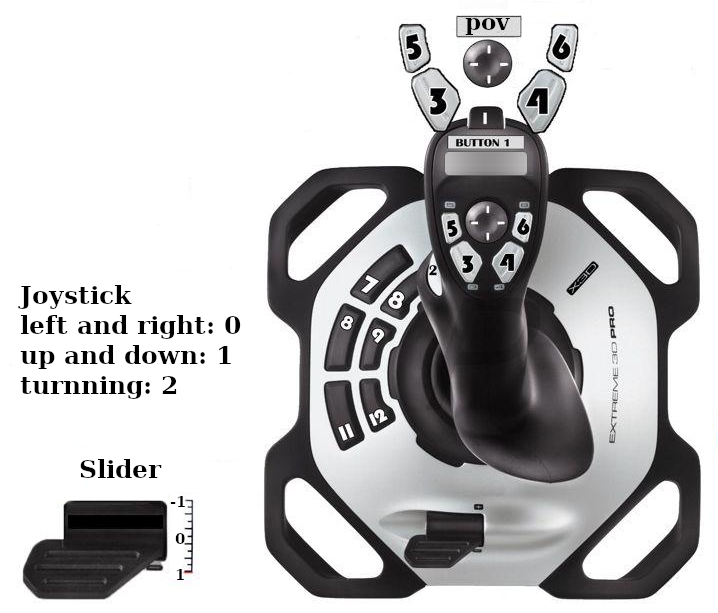
The standard controller that we use the logitech joystick, most should have knowledge on how this works.
This controller have being used the most in previous years, it might no be used as much in previous years.